
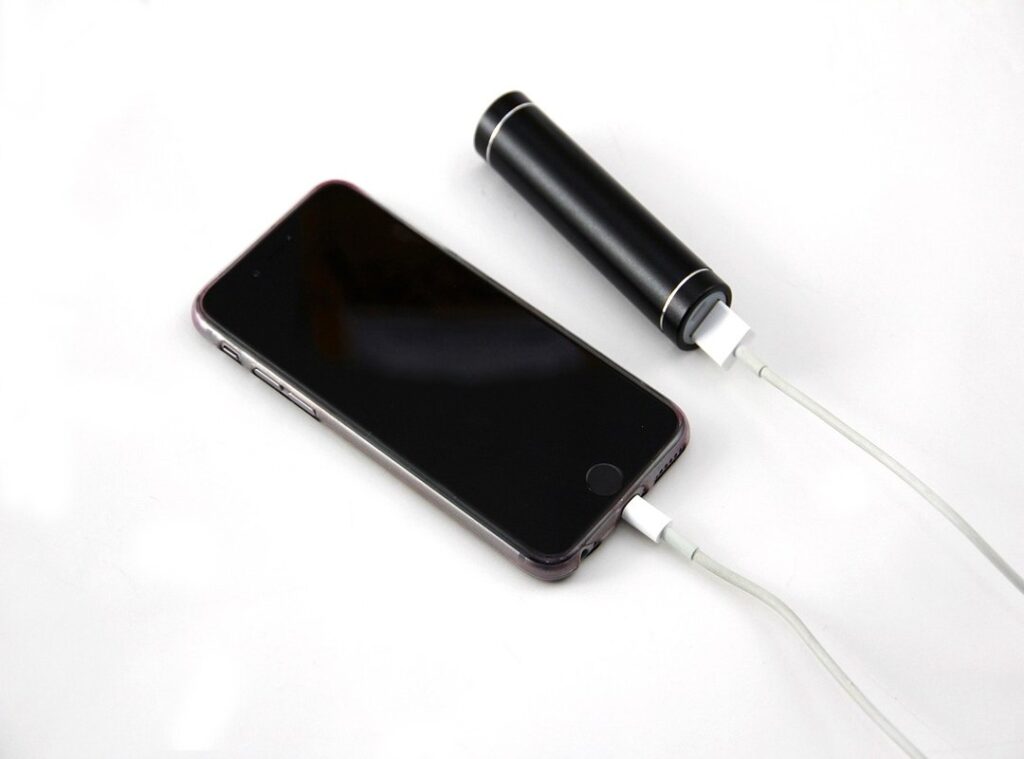
We’ve all been there: you reach for your phone, and it’s dead again. It’s frustrating, right? Modern smartphones pack a lot of power, yet they often leave us chained to chargers because of poor battery management.
So why should you trust what I say? I’ve spent years studying device performance and power management. I’m not just sharing typical tips; I’m offering real advice tailored to extend your phone’s battery life.
This article dives deep into practical smartphone battery tips you won’t find elsewhere. I’ll reveal strategies that actually work, not just generic fixes that leave you unsatisfied.
You want your device to last longer without the constant worry of charging. You deserve to enjoy your phone without interruptions.
Stick around, and let’s tackle this battery drain issue together, so you can get the most out of your smartphone.
Unmasking the Silent Battery Killers: Drain Sources Revealed
Ever wonder why your phone’s battery seems to vanish? It’s those sneaky background apps. Push notifications and automatic refreshes are always busy, silently sucking power even when you’re not looking.
Now, let’s talk about display settings. High brightness and long screen timeouts? They’re energy hogs.
Sure, that “always-on” display looks cool, but it drains your battery faster than you can say “low power mode.”
And don’t get me started on location services. GPS, accelerometer, gyroscope (they’re) useful, but letting them run constantly? It’s like leaving the faucet on.
Does your phone struggle to find a signal? Poor network connectivity forces it to work overtime, burning through power just to stay connected.
Outdated software and apps? They’re culprits, too. They eat up resources, leaving your battery gasping for air.
Pro tip: keep everything updated.
Want some practical smartphone battery tips? Check your phone’s built-in battery usage stats to see which apps are the biggest offenders. Trust me, it’s an eye-opener.
Oh, and while you’re optimizing your battery, don’t forget about keeping devices secure. It’s another layer of peace of mind for your digital life.
Optimizing Your Phone’s Digital Heart
I’ve messed up with my phone settings more times than I care to admit. You know that moment when your battery’s on life support by noon? Been there.
One of the biggest mistakes? Ignoring those pesky background apps. You don’t need every app refreshing in the background.
On iOS, go to Settings, tap General, then Background App Refresh. Choose Wi-Fi or disable it for non-important apps. Android’s similar.
Find Battery in Settings, and you’ll see options to restrict background activity.
Pro tip: Let adaptive brightness. It’s a small change, but it can make your battery last longer. And seriously, use dark mode if you have an OLED screen.
It’s not just a gimmick.
Another rookie error? Leaving Bluetooth and NFC on all day. Turn them off when you’re not using them.
Airplane mode is your friend in low-signal areas. Trust me, your phone will thank you.
Keeping your OS and apps updated is key. Updates aren’t just about new features; they’re about efficiency and bug fixes. And don’t forget built-in power-saving modes.
They’re not just there to look pretty.
Want more smartphone battery tips? Check them out because let’s be real, nobody likes a dead phone.
Hardware Habits: Maximize Your Battery Life
Let’s talk smartphone battery tips. Charging from 0% to 100%? Bad idea.
Lithium-ion batteries prefer living between 20% and 80%. Why stress them out? Extreme temperatures are another killer.
Ever charge your phone under a pillow or in direct sunlight? Stop. Heat and cold sap battery health faster than you can say “new phone.” And those sleek protective cases?
They might trap more heat than you think. If your phone feels hotter than a summer day, try removing the case during charging.
Now, cables. Can we agree on one thing? Cheap, uncertified cables are a risky move.
Want safe and fast charging? Stick with reputable, certified accessories. You drop your phone a lot too, right?
Physical impacts can mess with not just the screen but also the battery’s insides. Treat it gently. Charging port gunk is another hidden enemy.
Keep them clean to maintain a solid connection.
Pro tip: Your phone works smarter if you do, too. Want to master online video calls? Focus on these habits first.
Then, you’ll have enough battery life to tackle those video meetings without a hitch. Trust me, your future self will thank you.
Take Charge: Master Your Battery’s Future
Ever wonder why your phone dies faster than it should? You’re not alone. Your smartphone’s built-in battery stats are the first place to look.

They show which apps and system processes are power hogs. Look for apps that don’t need to run all day. Use this info to manage your usage.
Now, let’s talk about those fancy features like adaptive battery and Doze Mode. These are smart systems on Android (or similar on iOS) that learn your habits and help save power. They’re not magic, but they help.
They improve app usage without you lifting a finger.
Thinking about third-party apps for monitoring? Choose wisely. Some apps promise miracles but end up draining more power.
Stick to reputable ones.
Sometimes, a factory reset is necessary. Software glitches can cause mysterious battery drains. I’ve been there.
It’s a pain, but it works.
Checking battery health is key too. On iOS, it’s under Battery Health. Android has diagnostic codes.
Know what those percentages really mean.
Lastly, schedule software updates during off-peak times. It’s a small tip, but it makes a difference. These smartphone battery tips can keep your device running longer.
Be smart about it.
Battery BS: Myths You Need to Forget
Charging your phone to 100% and draining it to 0%? Stop it. Lithium-ion batteries work best with partial charges. Keep your battery between 20% and 80%.
Does charging overnight fry your battery? Not anymore. Modern phones have smart charging to prevent overcharging (thank goodness).
Then there’s the myth that force-closing apps will save battery life. It doesn’t. Reopening apps from scratch can use more power.
Let your phone manage itself. It’s smarter than you think. And the panic over third-party chargers?
Reputable ones are fine. It’s the cheap, uncertified chargers that are risky.
Now, clearing RAM constantly? That’s just a waste. Phones are designed to manage memory efficiently.
You’re probably making your phone work harder by doing it manually. As for disabling all notifications, it’s not the smartest move. Instead, manage them selectively.
You don’t need TikTok telling you about the latest trend every five minutes, but maybe keep the important ones.
With these smartphone battery tips, you’ll keep your device running like new. Remember, myths are just that (myths.) There’s no need to live in the past or cling to outdated habits. Let technology do what it’s designed for, and you’ll be just fine.
Your Better Battery Awaits
You’ve reached a goldmine of smartphone battery tips. Your struggle with a dying phone battery ends here.
By using smart software management, practicing mindful hardware habits, and understanding your device, you can dramatically extend its life.
Why wait to experience that relief? Set up these strategies today and watch your smartphone endurance soar.
Don’t let battery anxiety ruin your day. Dive deeper into tech takeaways to keep your devices performing at their best. You’re not alone in this.
Act now and transform your smartphone experience. Let’s tackle this together. Your device deserves it.
 Therynna Riverhaven has strong opinions about software, but the useful kind — the kind shaped by long-term use rather than first impressions. They covers In-Depth Software Reviews, Hands-On Tech Tips, and Tech Industry Developments with a perspective that feels unusually grounded in actual experience. A lot of software writing online focuses on features in isolation, as though adding enough bullet points automatically creates a better product. Therynna approaches things differently. They spends a lot of time thinking about how software changes the way people work, communicate, organize information, and manage frustration on a daily basis.